The RCFE eMAR that keeps you inspection-ready
The paperwork shouldn't outlast the shift. CareMAR is an eMAR — an electronic medication administration record with digital medication management built in. It charts your MARs, fills the official California LIC forms, and prints your ALW claims and private-pay statements — so you can get back to your residents.
Monthly MAR · July 2026
Resident 3 of 6 · Click-to-Give| Medication | 08:00 | 12:00 | 17:00 | 20:00 | Mon 13 | Tue 14 | Wed 15 |
|---|---|---|---|---|---|---|---|
| Lisinopril 10 mg1 tab by mouth daily | ✓ | — | — | — | ✓ | ✓ | due |
| Metformin 500 mg1 tab twice daily with food | ✓ | — | due | — | ✓ | ✓ | due |
| Atorvastatin 20 mg1 tab at bedtime | — | — | — | due | ✓ | ✓ | due |
| Donepezil 5 mg1 tab at bedtime | — | — | — | due | ✓ | R | due |
| Aspirin 81 mg1 tab by mouth daily | ✓ | — | — | — | ✓ | ✓ | due |
| Vitamin D3 1000 IU1 capsule daily | ✓ | — | — | — | ✓ | ✓ | due |
Built for your license
RCFE, ARF or ICF — the chart fits the home.
Pick your license type at sign-up and CareMAR shows the forms, deadlines and reports that license answers for. Same eMAR, same caregiver portal, same price.
One resident, start to finish
Admitted Monday. Billed at month end.
The same chart carries a resident from the admission packet to the claim. Nothing gets re-keyed into a second system, and nothing is reconstructed from memory the week the licensing analyst calls.
Admission
The pre-placement appraisal, the LIC 602A, personal rights, the register entry. Tracked as a document set with dates that keep running — not a signature you file and forget.
Medications
Snap the pharmacy label. Resident, med, dose, and frequency land in your review tray, where an administrator approves them before they reach a chart.
The med pass
The month's MAR grid is built from those orders. Caregivers tap a cell to chart a dose; refusals, holds, and clinical notes are one tap deeper, in their own language.
The record
Vitals, physician orders, shift notes, and every correction land on the same resident — and your LIC forms fill themselves from it instead of from a binder.
Presence
For Assisted Living Waiver residents, the presence calendar derives itself from the sign-outs your caregivers already log. Nobody counts service days by hand.
The preview
See the month's billable days, per-tier segments, and total charges before a claim exists — computed against the tier your Care Coordination Agency authorized.
The claim
The UB-04 prints in register on the real red form, with a calibration step so all ~430 boxes land where they belong. Paper claims: CareMAR prints, you mail.
Private pay
Residents who aren't on the waiver get a statement with the PDF attached, a net-15 due date, and a billed-to snapshot. CareMAR issues it; it never takes the payment.
Every step above writes to the same audit trail — who charted it, when, and what it said before the correction.
Everything a small home runs on
One login. The whole facility.
Med pass, faxes, forms, and families — the four things that eat an operator's day, in one place.
Click-to-Give MAR
Chart a dose by tapping a cell on the familiar grid. Refusals, holds, and clinical notes are one tap deeper. Med Pass mode turns any tablet into a station.
AI Photo & PDF Import
Snap a pharmacy label — resident, med, dose, and frequency land in your review tray.
Built-in HIPAA fax
A dedicated fax number per facility. Inbound orders auto-match to the right resident's chart.
Every LIC form
601, 602A, 603, 621, 622, 627C — prefilled from resident data, print-perfect, packet-ready.
Inspection readiness
Every binder scanned continuously. Red / amber / green per resident, one-click packet for the analyst.
A normal Tuesday in a small home
Three moments every operator knows.
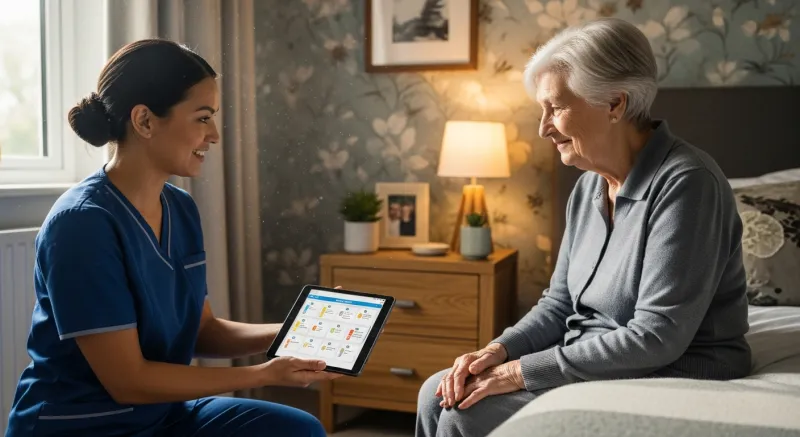
Chart a dose with a tap.
Morning routines are hectic enough without deciphering handwritten instructions in the MAR. With the new Click-to-Give MAR, caregivers chart medications by tapping cells on a familiar digital grid.
Plus, staff-approved family updates let your team review and send a quick weekly digest of care notes to loved ones — no uncoordinated auto-emails.
- Click-to-Give MAR charting
- Curated family updates
No more manual data entry.
A new resident arrives with a stack of LIC forms — the official California licensing paperwork like the LIC 602A appraisal. Instead of typing it all out, the AI Form Scanner instantly detects and extracts fields directly from the admission PDFs. Everything is securely stored where it belongs.
- AI Form Scanner for LIC paperwork
- Auto-filed under each licensing binder slot


Always ready for the state.
When the state inspector arrives unannounced, there's no panic. Your records are pristine. In an emergency, the 911 / POLST View gives paramedics one-tap access to Physician Orders for Life-Sustaining Treatment.
Even policy changes are handled for you. The CDSS PIN Worker automatically monitors and AI-summarizes provider notices, so you never miss a new regulation.
- One-tap 911 / POLST View
- CDSS PIN Worker summaries
Walk into a licensing visit prepared.
CareMAR scans every resident's binder before the inspector arrives — flagging missing or expired LIC forms, surfacing exactly what's still needed, and tracking your readiness percentage at a glance.
- Per-resident readiness score with red / amber / green cues
- Checklist of required California LIC forms (601, 602A, 603, 621, 622, 627C)
- One-click jump from a missing form to the upload tab
- Combined licensing-visit packet — print every form for one resident in one PDF
Licensing Visit Readiness
Margaret W. · Room 3
Missing — upload to Files
Signed Mar 12, 2026
Signed Feb 28, 2026
Signed Mar 12, 2026
April 2026 — 38 entries
Optional — not added
Scans every resident's binder before the inspector arrives — flagging missing or expired forms so you can fix them in minutes, not hours.
See your whole facility at a glance.
The Bed Map shows every room as a live tile — emerald when all doses are given, amber when a med is still pending, and a red dot the moment a dose is refused or missed. Updates in real time as caregivers tap through Med Pass.
- Live med-pass progress — tiles flip green within seconds of the last dose
- Color-coded room tiles with dose count, next-due time, and refusal flags
- Tap a room to jump straight into Med Pass for that resident
- Multi-facility ready — run several homes under one login and switch in one click
Bed Map · Maple Grove
Live med-pass progress · updated just now
Paper to MAR in seconds.
Snap a pharmacy label, drop in a faxed physician order, or forward a PDF to your facility's import address — CareMAR's AI reads the document, pulls out resident name, physician, medication, dose, and frequency, and lands a clean draft in your Review & File tray for one-click approval.
- Pharmacy labels, physician orders, and faxed MARs — PDF, JPG, or PNG
- Auto-routes to the right resident's chart by name + DOB matching
- Lands in the Review & File tray — you approve before anything goes live
- Pairs with the Quick-Admit wizard to onboard a new resident in minutes
TWICE DAILY
Getting paid
The other half of running a care home.
Charting keeps your license. Billing keeps the lights on. Both now live in the same resident chart.
Stop counting service days by hand.
If your home takes ALW residents, CareMAR records the tier your Care Coordination Agency authorized, derives the presence calendar from sign-outs your caregivers already log, and shows you the month's arithmetic before a claim exists. Then it prints the UB-04 in register on the real red form.
- Authorized tier and dates recorded — never computed or suggested by us
- Presence calendar auto-derived; an administrator's correction is permanent
- Dry-run preview of billable days, per-tier segments, and total charges
- Claim lifecycle from draft to paid, with the rule version it was computed under
- Printer calibration so ~430 UB-04 boxes actually land in their boxes
Claim preview — August 2026
Margaret W. · Tier 3 authorized · T2031 U3
Nothing is created until you generate the claim. Illustrative figures — Tier 3 rate as published by DHCS effective January 1, 2026.
Resident statements
Build a statement on the resident's Billing tab — line items, service period, net-15 due date, a billed-to snapshot for whichever responsible party is paying this month. Preview the exact PDF, then send it with the PDF attached. Resend, mark paid, or void it later. CareMAR issues the statement; it never takes the payment.
See resident statementsSecureSign e-signature
Send the whole admission packet as one signing envelope. The family taps a link in their email — no app, no account. The facility signs first, the responsible party second, and the signed PDFs file themselves back onto the chart with a full signature audit trail. Upload your own documents and place the signature boxes yourself.
$19.95/month add-onCaregiver Portal
Maple Grove Assisted Living
Facility License #
197604046
Caregiver PIN
Sign In →
Contact your administrator for your PIN
Sign in with facility license # and PIN — no account needed
Your caregivers' side of CareMAR — on iPhone and Android.
Every facility gets a separate, simplified portal built for the people running the actual med pass. Your caregivers sign in with the facility password and their own PIN, see only what they need, and document every dose in real time — all from the CareMAR Caregiver app on the phone or tablet they already own, or in any browser with no download.
- Bed-map quick view of every resident's status
- Tap-to-give meds with PRN always visible
- Push alerts the moment a shift starts
- Charting access only — no billing or admin settings exposed



Or scan the code with your phone's camera.
Why RCFE administrators love it
Built for the realities of a 6-bed home — not a hospital IT department.
Free app, or any browser
Caregivers use the free CareMAR Caregiver app for iPhone and Android, or open the portal in any phone or tablet browser — Chrome, Safari, Firefox.
PIN sign-in, no accounts
One facility password to open the portal, and a personal 6-digit PIN per caregiver that you set, so every dose is signed by the person who gave it. No emails, no per-user license fees.
Glove-friendly tap targets
Big 56px buttons designed for the morning med pass — no squinting, no missed taps, even with gloves on.
Real-time sync across devices
Mark a dose given on a phone and the tablet at the med cart updates instantly. Every entry lands in the same audit trail.
English, Spanish, Tagalog & Romanian
The interface speaks your caregivers' language. Switch with one tap — no retraining, no translation guesswork.
Shift handoff & announcements
Leave handoff notes for the next shift, post facility-wide announcements, and push alerts the moment a caregiver clocks in.
Ask CareMAR
Stop paging through the Title 22 PDF.
Ask a regulation question the way you'd ask a colleague — “how long do I keep a destruction record?” — and get an answer from the CDSS manual with the section citations attached, so you can read the rule yourself instead of taking anyone's word for it. No more hunting for a section number you half-remember.
Binding regulation and CDSS handbook guidance are kept separate and labelled separately, because they are not the same authority. And it answers what the rule says — never whether your facility is compliant. That judgement stays yours.
See how Ask CareMAR works →What's inside
Everything your facility needs. Nothing it doesn't.
Pricing
Simple, flat-rate pricing.
One price per home, and every home gets the full CareMAR. No per-resident fees. No setup fees. No contracts. Every account gets one 14-day free trial, for its first home; homes you add later are billed from the day you add them.
Plans cover homes with up to 6 beds. Larger facility? Contact us and we'll size a plan for you.
- Monthly MAR grid + Med Pass tablet mode
- Every California LIC form, filled from your records
- Dedicated secure fax number with AI resident matching
- Medi-Cal ALW billing & UB-04 claims — no per-resident fee
- Vital signs, physician orders, caregiver notes, audit trail
- Family portal, team logins, WhatsApp support
- 14-day free trial on your first home
- Everything in CareMAR Pro, in every home
- A dedicated fax number for each home
- Switch homes in one click, all under one login
- Add or close a home any time — no plan to change
Optional add-on
Off unless you turn it on. Nothing here is required to run your home.
CareMAR SecureSign
E-signature for admission packets and LIC forms. 25 envelopes included each month, $0.50 each after that. Pause for a month or cancel any time.
Billing termsFAQ
Frequently asked questions.
What is an eMAR?
An eMAR (electronic medication administration record) is the digital version of the paper MAR binder: each resident's medications, the prescriber's directions, and a record of every dose given, refused or held, with who gave it and when. In CareMAR, caregivers chart each dose on a tablet or phone during the med pass, and the office sees every resident's MAR for the month as it happens — and can print it in the familiar grid for a licensing visit.
Is an eMAR allowed in a California RCFE?
Yes. Title 22 requires a complete, current medication record for each resident, but it does not require that record to be on paper. An electronic MAR meets the requirement as long as it captures the same information and can be produced — in practice, printed — for a CCLD licensing analyst. Our guide to RCFE eMAR requirements at caremar.org/rcfe-emar walks through what the record has to show.
What is digital medication management?
Running a care home's medications in software instead of binders: the MAR, physician and pharmacy orders, refill alerts, the LIC 622 centrally stored medication and destruction record, and the trail of who gave what and when. In CareMAR these live in one place, so an order that arrives by fax can be added to the resident's medications and every dose after that is charted against it.
Does a 6-bed board and care home need eMAR software?
No California rule requires it — a complete paper MAR is still compliant. Small homes switch because a handwritten MAR is where blank squares, missing initials and unexplained PRN doses come from, and those are the gaps a licensing analyst cites. CareMAR is priced per home — $79/month for up to 6 beds — so a single board-and-care home is not paying for software built for a hospital.
How much does CareMAR cost?
One plan, one price per home: $79/month for a facility with up to 6 beds, and every additional home you run under the same login is the same $79/month. Every home gets the full product, its own fax number, and its own subscription you can cancel on its own. No per-resident fees, no setup fees, and no contracts. Medi-Cal ALW billing is included in every plan — there is no separate charge for waiver residents. One optional add-on is priced separately: SecureSign e-signature at $19.95/month per facility, off unless you turn it on. Running a larger assisted living facility with more residents? Contact us at [email protected] and we'll size a plan for you.
Does CareMAR handle Medi-Cal Assisted Living Waiver billing?
Yes. Record the tier the resident's Care Coordination Agency authorized, keep the presence calendar (mostly auto-derived from the sign-outs your caregivers already log), preview the month's billable days and charges, then generate a T2031 claim and print the UB-04 onto the real red form — with a printer-calibration step so the boxes line up. CareMAR never computes or suggests a tier; it bills exactly what was authorized. Claims are paper only: we print the form and a matching envelope, we don't submit electronically.
Can I bill families for room and board through CareMAR?
You can create and send the statement. Build it on the resident's Billing tab with line items and a service period, preview the exact PDF, and email it to the responsible party with the PDF attached — it also shows up in the family's read-only portal, along with a year-end summary. CareMAR does not process the payment: families pay you the way they already do, and you mark the statement paid.
Is there a free trial?
Yes — every account gets one 14-day free trial, for its first home, with access to every feature. Homes you add later are billed from the day you add them, at the same $79/month. We do ask for a credit or debit card at sign-up, but you are not charged until the trial ends, and you can cancel any time before then with one click. You can also try the live demo right now without entering payment info: a quick sign-up form gets you an instant email link into a fully-loaded sample facility.
Can I use CareMAR on an iPad?
Absolutely. Med Pass mode is purpose-built for iPads and Android tablets — 56px touch targets, per-resident progress tracking, and a full-screen distraction-free layout for medication rounds.
Is CareMAR built specifically for California RCFEs?
Yes. CareMAR was designed for California Residential Care Facilities for the Elderly and 6-bed board-and-care homes — not adapted from a generic EHR. Every form and workflow matches CDSS Community Care Licensing requirements under Title 22.
Who is CareMAR built for?
CareMAR is built by RCFE administrators, for RCFE administrators — licensees, certified administrators, and board-and-care home owners who are personally responsible for medication records, LIC form paperwork, and passing the next CCLD inspection. If that's your job, CareMAR replaces the paper binder with eMAR software made for exactly that job — not a generic hospital EHR adapted for a 6-bed home.
Can I export my data?
Anytime. Download a complete ZIP archive of every resident's records, MARs, physician orders, vital signs, files, and forms. Your data is also backed up automatically, so nothing is ever lost unexpectedly.
Can I switch from paper without starting over?
Yes — three import paths. Snap a photo of any paper MAR or pharmacy label and AI extracts the medications, upload an Excel/CSV, or forward documents to your facility's import email. Everything lands in a review queue you approve before it goes live.